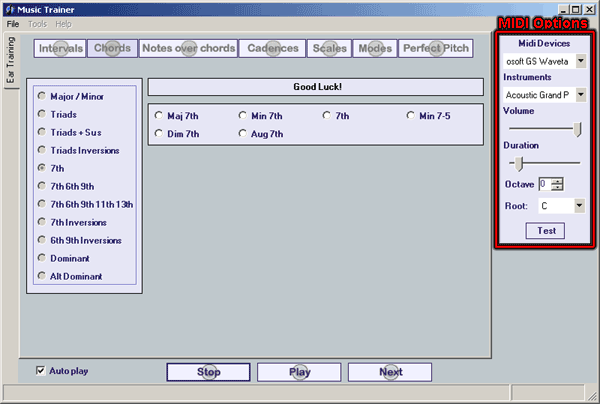
| When Music Trainer is started it scans the computer to find all the MIDI
devices. They will be added to the Midi Devices dropdown. If no MIDI
devices are found an error will occur and you will be notified that there
are no current MIDI devices on your computer. If this happens you will
need to install a MIDI device on your computer before using Music Trainer. |
|
| The MIDI Panel has the following options: |
|
| MIDI Devices |
- If you have more than one MIDI
device on your computer, you can choose which one to use by selecting
it from the dropdown box.
|
| Instruments |
- Choose the instrument that you would like from the dropdown box.
|
| Volume |
- The Volume of your MIDI
output can be set from 1 to 127 by dragging the slider with your
mouse.
|
| Duration |
- The Duration will set how long
you Sound Item notes are played in
milliseconds. By default it is set at 500
but can be adjusted from 100
milliseconds to 5000 milliseconds
(5 seconds).
|
| Octave |
- By default, the base C note used in the Sound
Items is one octave above middle C. You can lower this by
up to 2 Octaves, or raise it by up to 6 octaves with this control.
|
| Root |
- All Sound Items are based on the
key of C, but can be transposed to any key, by selecting it in this
dropdown. To make your test even more challenging, you can choose Random
in the dropdown to have each Sound Item
played in a different random key.
|
|
| Test Button |
- To test all the settings that you have made, except the Duration
setting, click the Test Button and
it will play a note using all of your settings.
|
|
|
| Copyright
2012 Rick Bales
|